5 Best Digital Marketing and Advertising Tools for Small Businesses in 2026
Best advertising and digital marketing tools for small business provide owners a way to get noticed, run efficient campaigns, and measure what works. Nearly all the tools offer easy setup, simple dashboards, and clever means of reaching people on or offline.
We look at the top tools and how to choose the perfect stack for your small business, evaluate your needs, budget, and what fits into your day-to-day. Importantly we discuss how to bring them together in built-in CRM system for small business with done-for-you ads, and real-time assistance
These are our top picks.
Key Takeaways
Small businesses can leverage Google Ads to target specific keywords to reach potential customers cost-effectively and manage their advertising budgets.
With its precise audience targeting and detailed analytics, Facebook Ads Manager helps you connect with the right people and measure how your campaigns perform.
Canva offers easy-to-use design tools that allow even the non-designer to produce professional-looking graphics for ads, social, and promotional materials.
SEMrush enables smarter marketing decisions with powerful tools for keyword research, competitor analysis, and SEO to enhance online presence.
CRM system for small business like NationwideLeads makes it easy to do bring it all together helping small businesses keep in touch with their prospects and build customer relationships.
Plus, simplifies social media management. It enables companies to schedule posts, follow activities, and trace success throughout various platforms from a single location.
Table of Contents
Put it all together with a CRM system for small business
Bring you ads together with ads launch suite
CRM, Email Marketing and Sales Funnels
Manage SEO and Social Media in One place
What is the best advertising tool for small businesses on a budget?
How can NationwideLeads help small businesses grow?
Is Canva suitable for beginners with no design experience?
Can NationwideLeads help manage multiple social media accounts?
What benefits does SEMrush offer for small business advertising?
Which advertising tool is best for reaching international audiences?
1. Google Ads
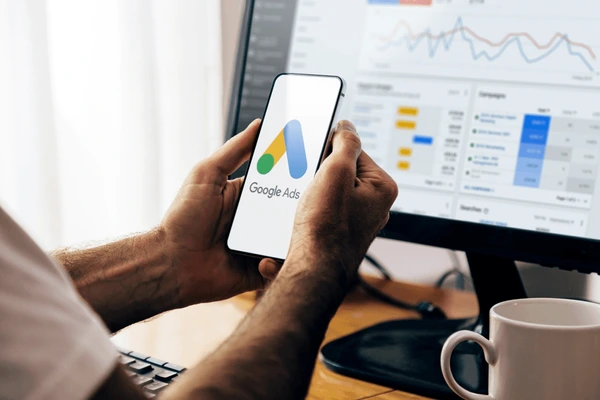
Google Ads remains a top choice for small businesses seeking quick, quantifiable outcomes. With Google’s reach, your ads can appear to people looking for what you offer at the very moment they need it. It’s a platform that works for a lot of business models, but it does require some homework. To optimize your marketing strategy, establishing the correct initial configuration is critical.
Google Ads employs a pay-per-click model, meaning you only incur costs when someone clicks on your advertisement. This gives you control of your spend, but it means you want every click to matter. Most people new to Google Ads believe results come fast and easy. In real life, it requires strategy and time, similar to utilizing small business marketing software to enhance your overall marketing efforts.
During those initial two weeks, it’s best to concentrate on observing outcomes and gathering information rather than adjusting daily. That keeps you focused on what’s actually effective, rather than pursuing premature buzz. After about 30 days, with data piled high, you’re ready to begin making intelligent changes.
Ad extensions make your ads more prominent. These provide additional information such as phone numbers, links to important service pages or immediate contact buttons. A person searching on a phone for an ‘emergency plumber near me’ is much more likely to click an ad that displays a quick-call button.
For small businesses, targeting is what counts. You can target ads just to people in your city or those using an immediate intent search like ‘same day delivery’ or ‘open now’. Mobile represents roughly half of all web traffic now. Landing pages have to load quickly and work smoothly on phones, which is essential for effective lead generation.
A mobile-unfriendly page equals wasted clicks, and Google will cost you more for directing traffic to a clunky site. It turns out that keeping landing pages lean and easy to use pays off in better results. A well-optimized Google Ads campaign uses tightly focused ad groups that are matched to relevant keywords, enhancing your marketing capabilities.
This setup increases your Quality Score, which reduces your cost per click and places your ads in more premium positions. For budget, a good rule of thumb is to put 80% towards your core campaigns and the remainder to experiment. That’s how you stay secure and find a path to evolve your marketing efforts.
Google Ads can seem complicated. With consistent optimization and a back-to-basics approach, small businesses can experience strong returns, driving their overall marketing engagement and brand recognition.
2. Facebook Ads Manager

Facebook Ads Manager is an excellent marketing tool for small business owners aiming to maximize their marketing efforts and reach a broader audience. The dashboard simplifies ad creation, making it accessible for digital ad rookies. With no lengthy guides or guesswork, this marketing software guides you through each step, enabling you to launch a campaign in just minutes.
Account Overview
The account overview tab keeps things organized, displaying four primary sections that provide the lay of the land. You can view active campaigns, ad sets, ads, and performance at a glance. For those wishing to monitor what is and isn’t working, the reporting features shine. Custom reports allow you to identify the most engaged audiences or detect trends over time, which is crucial for optimizing your marketing strategy. This assists owners in getting actual info about what’s hitting the mark or falling flat.
One of Facebook Ads Manager’s biggest wins comes from its flexible budgeting tools. Small businesses can opt for a daily or lifetime budget and select start and end dates to keep spend in check. No more stressing about burning through your ad dollars overnight. Owners looking to dig a little deeper can experiment with A/B testing, trying out different headlines, images, or calls to action.
This way, you’re not blindly guessing what works. The platform provides concrete metrics to indicate which ad variant generates greater clicks or sales. It’s an easy way to make every euro, dollar, or peso you spend on ads go further, maximizing your marketing efforts.
The kinds of ads on offer matter. With carousel ads, small shops and service providers can share up to ten images or videos in one go. This is a great feature for displaying product lines, before and after results, or a stepwise tale.
For folks who want to monitor outcomes, the platform displays important statistics such as Relevance Score, which utilizes CTR and negative feedback. Owners get access to campaign trends and demographic breakdowns, so they can see if ads are landing with the right crowd or missing the mark in their target market.
3. Canva

Canva continues to pop up as a favorite in my discussions with small business owners and solopreneurs who just need to get things done, fast and easy. It is a visual communication platform that allows everyone to design, collaborate, and easily scale content. What immediately jumps out is the incredible integration with over 120 apps, making it an excellent marketing tool for small business marketing software solutions. Plugging it into social media or even Google Drive simply works. No workarounds or additional downloads are necessary. For many multi-platform posters, this chunk spares a bunch of anxiety.
Canva is pretty much made for beginners and leaves you room to experiment. Even minor adjustments, nudging a shape, swapping a font, and changing up colors, can improve a design and make it appear miles better. Its controls seem second nature after only a brief period. Many of my clients begin by creating just one Instagram story, but soon find themselves batching a week’s worth of blog images or reels in one session using this powerful marketing platform.
Time is tight for most small shops, so a tool that allows you to create a set of graphics in an hour or two is a real boon. No more scrambling every morning for a new promo visual. Design diversity is another thing Canva nails. It’s not for cute posts, either. You can generate sales flyers, Instagram stories, Pinterest images, podcast covers, or an entire webinar/course slide deck, all of which can enhance your marketing efforts.
If you’re running online classes, Canva’s templates for slides and handouts help keep things on brand and clear. To keep it all tidy, Canva allows you to save your brand colors, fonts, and logos in a single location. Then all your posts, ads, or newsletters have that ‘go together’ look. That’s something that truly counts towards building customer trust. Cohesive styling distinguishes you and strengthens your branding.
Then there’s Canva’s speed, which cannot be overlooked. A pro-looking graphic can come together in minutes, not hours. This type of quick turnaround is a game changer when a last-minute sale or event appears. With a 14-day free trial, there’s no pressure to lock in up front. People can check it out and see if it suits their workflow, risk-free.
4. SEMrush

Small businesses looking to grow digitally typically require tools that deliver value around SEO and keyword analysis. SEMrush distinguishes itself in this pack of small business marketing software solutions. For anyone who’s attempted to manage SEO, paid ads, and content simultaneously, SEMrush can seem like an entire team condensed into a single marketing platform.
Right from the start, it organizes its features into intuitive toolkits, meaning locating what you need takes seconds, not hours. This can assist new users from losing themselves or feeling overwhelmed, particularly if you’re multitasking.
Amongst my favorite features is the Site Audit tool. It scans your website for more than 140 technical and on-page SEO problems. In other words, it identifies broken links, slow page loads, missing meta tags, and other minor issues that can damage your search ranking.
Paired with that, the Site Health widget provides an easy percentage score. A quick glance informs you how your site is doing—there's no need to wade through lengthy reports or decipher cryptic notices. That one widget alone has helped countless small business owners identify and address issues before they become expensive.
For people working to appear in the right search results, SEMrush’s Keyword Magic Tool provides a fast path to discovering high-value keywords. All you do is enter a topic and it returns ideas, search volumes and even how difficult you are to rank for each term.
This lets you craft more intelligent SEO campaigns without guessing what people search for. It is convenient for structuring blog posts, landing pages, or even social media captions that resonate with what potential clients are really searching for.
Content is still king and SEMrush’s Content Toolkit holds its own here. It assists in idea generation, identifies holes in your existing content, and even provides suggestions on how to simplify your writing and increase its chances to rank.
This means you don’t need to be a writing expert to design posts that perform. On the paid ads front, the Advertising Toolkit, including the Ads Launch Assistant, is designed for those looking to run campaigns on Google or social media.
This toolkit isn’t cheap at $220 a month, but for small businesses ready to kick it up a notch, the insights and automation can save time and money. On a leaner budget or just getting going, the Starter plan, billed annually, comes in at $19.99 a month, with a free account allowing you to crawl up to 100 pages.
That’s plenty for a lot of local biz or folks just testing the waters.
Put it all together with a CRM system for small business
Now that you have all these great tools for digital marketing, including small business marketing software solutions, how do you put it all together and manage your marketing efforts cohesively and cost-effectively? This is the value of tools like NationwideLeads.
Bring you ads together with ads launch suite

Use NationwideLeads ads launcher to launch, manage, and scale Google, LinkedIn and Meta (Facebook/Instagram) ad campaigns directly from a single dashboard, unifying ad management with CRM and marketing automation for streamlined workflows, better lead tracking, and reselling in one spot. use pre-build templates to start fast or get inspiration and create custom templates from Canvas.
Using NationwideLeads ads launcher not only simplifies and streamlines how to use these best advertising tools, but it helps figure out which ones are the best for you along with the right digital marketing tools for your small business
CRM, Email Marketing and Sales Funnels
NationwideLeads offers an all-in-one small business marketing software system that includes CRM, email marketing, a sales funnel, and much more, with plans starting at $27/month. This is a great option for anyone just getting started or not looking to spend too much on their marketing needs.
Utilize email templates to launch effective email marketing campaigns or create custom designs in Canva. Their site builder can be used for sales funnels, along with publishing tools like blogs, surveys, a course builder, and membership features to help you monetize your content, if that’s your goal. For companies looking to attract more ears or add another sales channel, these capabilities can be leveraged immediately.
With a simple editor, creating a strong campaign doesn’t require extensive time or design skills. You can easily set up lists, categorize contacts into different groups, and send focused emails. Segmentation is crucial for maximizing your marketing efforts.
Whenever you divide your mailing list into smaller segments or smart lists, your emails land better more frequently. This translates to increased open rates and clicks and a better chance at actual sales. It’s not merely theoretical, either.
NationwideLeads’ built-in reporting and analytics show what strategies succeed and what doesn’t, allowing you to adjust your tactics as needed.
Automation rocks the house. It takes just a few minutes to set up simple flows, like a welcome series or cart reminders, that make your marketing work while you sleep.
They also offer unlimited contacts, unlimited users and unlimited sites. For a small shop or side gig, getting started with NationwideLeads Starter makes perfect sense.
Manage SEO and Social Media in One place

NationwideLeads shines for small business owners who want to manage social media in one place with minimal effort. It’s been my workhorse for years, not simply because you can schedule and monitor all your social feeds from one dashboard, but because it provides a little extra than the bare minimum.
For anyone drowning in DMs and comments, NationwideLeads all-in-one inbox acts as one centralized hub for all of your messages, utilizing AI to help keep things organized and speedy to respond to. No more bouncing around between 8 different apps to respond to client inquiries. It is always in one place, primed and ready to enhance your marketing efforts.
The content planner is another handy resource to plan your content effectively. Plus, when you schedule content, you have the ability to use this smart data-driven tool to post content when your audience is most likely to engage. This really takes the guessing out of what to post or where to focus your marketing strategy.
If you want to stay ahead of the SEO curve, NationwideLeads' blog is full of free tips, in-depth guides, and articles on AI marketing. Use SEMrush to research relevant keywords for site and blog and create a content to drive your ranking.
Their RSS feeds feature gives you the ability to promote your blog content automatically with email or social media. You don't need to do anything after you create new content to have it promoted—just another one of their cost-effective small business marketing software solutions.
One of the most obvious benefits for having all these key digital marketing tools for small business is ability to integrate with other tools like Google Analytics to monitor organic, sponsored, social media and other traffic. You can stay a step ahead with superior insights not only with internal metrics but performance analytics from key external sources curated all in one spot.
Conclusion
Small shops and solo owners need tools that just work. Google Ads and Facebook Ads Manager assist you in reaching people quickly. Mailchimp keeps your contacts close and your emails sharper. Canva makes your brand look good with no art degree required. SEMrush has transparent insights of what your competitors do on the internet. NationwideLeads saves you hours by queuing your ads, CRM and digital marketing in a single location. When you can put it all together, it can translate to more clicks, more calls, and less stress. Experiment with a free trial — see what benefits you the most. Or need actual advice or assistance setting up your ads? Contact us at NationwideLeads. We like to keep it simple, clever, and no-nonsense, just like you.
Frequently Asked Questions
What is the best advertising tool for small businesses on a budget?
Google Ads and Facebook Ads Manager are budget-friendly choices in digital marketing tech stack. Both allow you to set your own budget and target specific audiences, optimizing your ROI and attracting more potential clients.
How can NationwideLeads help small businesses grow?
NationwideLeads makes email marketing simple with its excellent marketing tool. Create, send, and track professional emails to customers while utilizing automation features that save time and enhance your marketing efforts.
Is Canva suitable for beginners with no design experience?
Yes, Canva is for everybody. It provides easy drag and drop functionality and tons of templates. Small business marketing software solutions like Canva enable small businesses to generate attractive ads, social posts, and marketing materials effortlessly.
Can NationwideLeads help manage multiple social media accounts?
Indeed, NationwideLeads offers small business marketing software that lets you control multiple social media profiles from a single interface. You can schedule posts, track engagement, and analyze performance, enhancing your marketing efforts.
What benefits does SEMrush offer for small business advertising?
SEMrush provides essential marketing tools like keyword research, competitor analysis, and SEO optimization tools, enabling small businesses to enhance online visibility and drive traffic through effective marketing strategies.
Which advertising tool is best for reaching international audiences?
Google Ads is an excellent marketing tool for worldwide coverage, enabling small businesses to reach potential clients across different countries, languages, and regions, thus simplifying their marketing efforts beyond local markets.
Do these advertising tools offer free versions or trials?
Most tools like Canva, NationwideLeads, and SEMrush offer free versions or trials, which are excellent marketing tools for small business marketing software. This allows small businesses to test out marketing features prior to subscribing to a paid plan, assisting them in selecting the optimal option for their marketing needs.