
Technical SEO audit checklist for small business owners: a comprehensive guide
A technical SEO audit checklist provides small business owners a step-by-step path to correct site errors, improve search ranking, and get discovered online.
Important things to do are to test site speed, repair broken links, and ensure mobile is working fine. Other activities span secure HTTPS, clean URL structure, and crawl errors.
To illustrate these issues, this post will parse out each task and offer practical tips that deliver.
Key Takeaways
A technical SEO audit is necessary to expose hidden issues that can constrain your website's visibility and ranking on search engines.
Updating your audit checklist regularly helps you stay up to date as search engine algorithms and best practices evolve.
Evaluating crawlability, site structure, on-page elements, speed, and mobile experience helps create a strong foundation for SEO success.
Harnessing a range of SEO tools offers a comprehensive perspective on your site’s strong and weak points, empowering more strategic choices.
Don’t just trust the automated scans. Manual reviews and care for the user experience are necessary to get accurate, actionable results.
By converting audit findings into a well-defined action plan and measurable goals, you will generate a steady stream of improvements and sustained SEO momentum.
Table of Contents
What is a technical SEO audit?
The complete technical SEO audit checklist
Beyond the basics: advanced audit insights
Common pitfalls in a SEO audit
From audit to action & done for you SEO
What is included in a technical SEO audit checklist?
How often should a technical SEO audit be performed?
What are the main benefits of conducting a technical SEO audit?
What tools are recommended for a technical SEO audit?
What are common technical SEO issues to watch for?
What is a technical SEO audit?
Technical SEO audit: A comprehensive examination of a website’s architecture and backend configuration to optimize its search engine visibility. Here’s the basic objective: identify and rectify the things that make it difficult for search engines to discover, crawl, and index your pages. Utilizing a technical SEO audit template can streamline this process for better efficiency.
For small business owners and solopreneurs, a technical SEO audit isn’t a luxury; it’s a necessity if they want to compete online against bigger brands. This audit is the foundation of any robust SEO strategy. If the technical stuff isn’t dialed in, even killer content might not find its way to those looking for it.
It reviews multiple aspects of a website. First, it checks crawlability, ensuring search engines can roam all of your pages without running into dead ends or barriers. If a page is buried too deep or doesn’t have any internal links, search engines may never discover it. Conducting a site crawl can help identify these issues effectively.
For instance, if your top service page is five clicks from the home page, it’s time to add some obvious links to help it get there. Next, there’s indexation. It’s about making sure the right pages get shown in search and keeping low-value pages, like duplicate or “thank you” pages, out. Tools check for duplicate content. Using an SEO audit tool can be beneficial in automating this verification process.
If two pages are 85% or more the same, search engines may only display one or none. Repairing this frequently involves rewriting or merging similar pages. Site performance is one more fundamental category. Page speed, mobile-friendliness, and how well it loads images all matter for both users and search engines.
Broken links, 404s, and redirect chains are three common problems that negatively impact the user experience and search rankings. For example, if you relocated a product page and implemented multiple redirects in a chain, it can cause the site to become sluggish and confuse search engines.
A technical audit identifies these issues so you can correct them promptly. Another important element is verifying that your page titles contain your primary keywords, particularly within the first 60 characters. This assists search engines in understanding the content of each page.
Depending on your site’s size, a technical SEO audit can be quick. It may take one day for small sites or a week or more for bigger ones. The thoroughness of the audit process often leads to significant improvements in search engine rankings, making it an invaluable tool for any website owner.
The complete technical SEO audit checklist

Technical SEO audits help small businesses looking to grow online. The checklist below outlines the key areas to address, with easy to follow steps and recommended tools. Covering these bases helps ensure your website is crawler, index, and rank friendly, as well as user friendly.
To ensure maximum benefit, refresh your checklist frequently as search engines modify their guidelines and technology evolves.
1. Crawlability and indexing
Begin with your robots.txt and XML sitemap. Your robots.txt should not block important pages, and your sitemap must be current and submitted to search engines.
Search Console helps identify crawl errors, such as 5xx server errors that block access to your site. Get these repaired immediately or you risk blocking your content from being indexed.
Check for 404s and broken links. These can annoy users and disrupt the flow of link equity between pages. Ensure key pages are indexable, with no inadvertent noindex tags.
If a page isn’t indexed, determine whether it’s required. Occasionally, it is intentionally.
2. Site architecture
A rational site architecture aids both visitors and search engines. Utilize a clean hierarchy with primary and secondary categories that suit your company.
Make your URLs descriptive and short, for example, nationwideleads.io/home versus nationwideleads.io. Internal links should direct visitors to relevant content and distribute link equity while minimizing orphan pages.
Apply canonical tags properly to prevent duplicate content issues. Verify for inconsistencies and repair them to combine link equity and maintain rankings.
3. On-page elements
Title tags and meta descriptions should be unique and describe what each page is about. Headings (H1, H2, etc.) should indicate the subject and structure content.
Incorporate keywords organically that align with user search intent. Add alt text to your images for accessibility, SEO, and so search engines know what is in each image.
Examine your content to ensure it is high quality, relevant, and meets user requirements.
4. Performance and speed
So test your site speed with tools such as Google PageSpeed Insights. Pictures tend to drag a site down. Compress them and go modern with webp.
Turn on browser caching so repeat visitors load pages faster. Check server response times. If they are slow, chat with your host or look at upgrades.
Quick sites rank higher and get people returning.
5. Mobile experience
Test your website’s mobile-friendliness. Responsive design is an absolute necessity for phone and tablet users.
Use Google’s Mobile-Friendly Test for a quick check. If your mobile pages are loading slow, remediate oversized images or scripts.
Don’t forget AMP for news pages or blog posts to accelerate mobile loads only if it’s right for you.
Beyond the basics: advanced audit insights
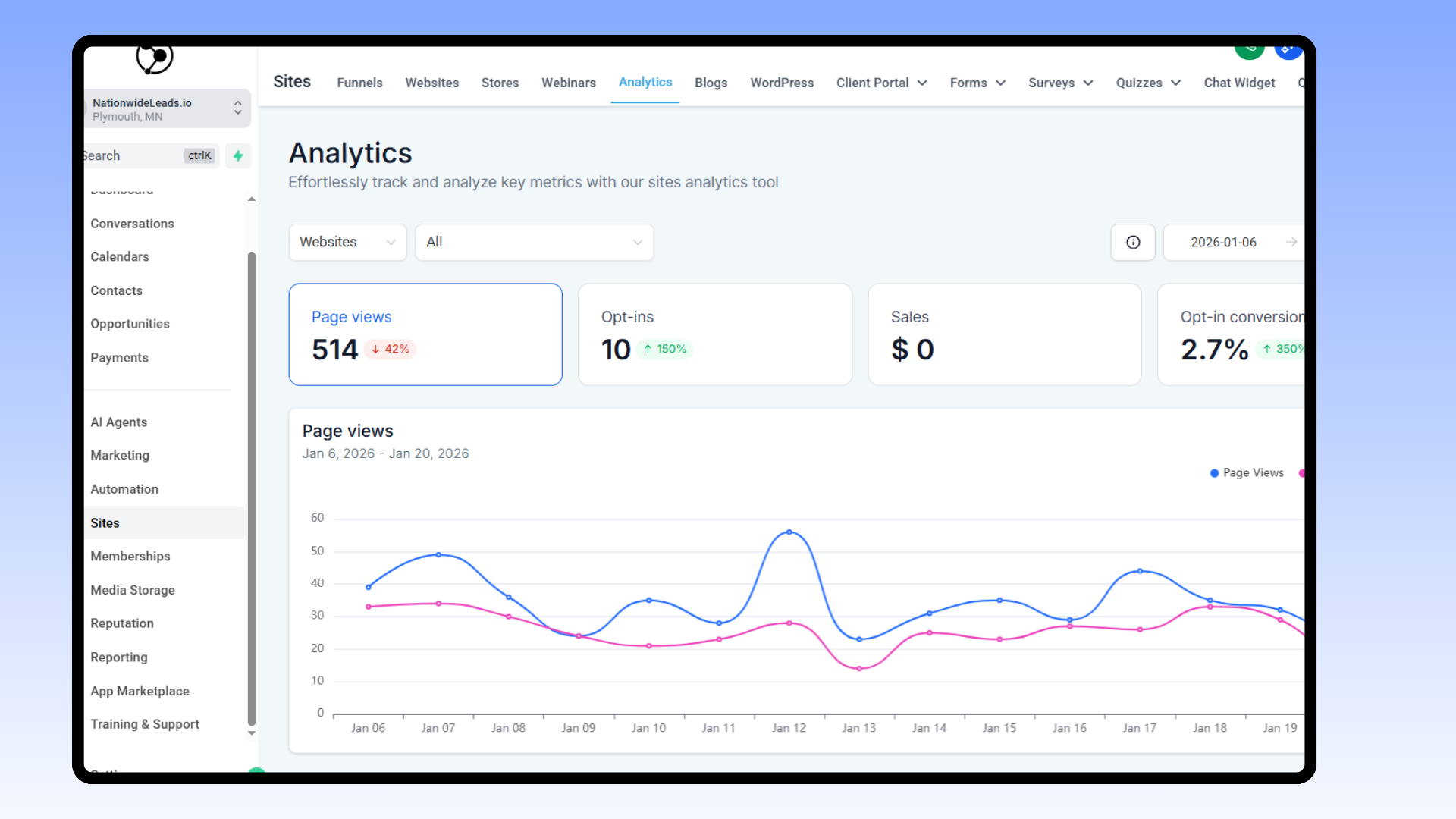
Your Technical SEO Audit for Small Business Basics Plus It has to dig into details that influence how effectively your site differentiates and maintains its lead. Even for modest sites, a few steps are time-consuming, particularly if you have a lot of pages. Every advanced step can provide a defined advantage.
Structured data, for instance, assists search engines in parsing your content and displaying rich results. Adding schema markup to pages is a great way to spotlight products, reviews, events, or how-tos. For a service site, adding markup to FAQs or contact information assists users in locating answers directly from the search page.
Pro tip: take a good hard look at your structured data with tools like Google’s Rich Results Test. Markup errors can cause your rich results not to appear, so it’s well worth your while to do this correctly.
As a practical example, competitor analysis can be a great way to identify what works and what doesn’t. By contrasting your site with the top rankers, you can observe their structured data, link and keyword patterns.
Here’s a simple breakdown:
User behavior metrics, like bounce rates, scroll depth, and time on page, indicate whether users discover what they're searching for. If users bounce quickly, it might indicate sluggish speeds, perplexing navigation, or poor content.
For your product or service pages, determine whether visitors complete forms or abandon them. This can reveal what to optimize next. Perhaps you need to improve page speed, relocate key information, or employ more descriptive anchor text such as “SEO trends in 2025” instead of “click here.
A/B test beyond the basics. It’s not just for the big players. Try testing two formats of a landing page: one with a new headline and the other with a call-to-action button in a new location.
Monitor which version generates more sign-ups or clicks. Use them to make incremental improvements after each audit. Even simple things, such as implementing clean title tags, adding canonical tags, or cleaning broken architecture, can produce tangible outcomes.
Common pitfalls in a SEO audit
A technical SEO audit is an essential step for any business looking to rank and drive consistent traffic. It’s easy to overlook critical nuances if you’re unsure what to seek. Most small businesses and solopreneurs depend on checklists or tools, but even the best tools can miss critical problems that only appear with a manual pass.
Here are the main pitfalls to keep an eye on during any technical SEO audit:
Relying solely on automated tools. Tools are fantastic at highlighting quick wins, but they simply cannot see everything. For example, certain tools will highlight technical errors but overlook ambiguous URLs that harm your site’s clarity for both users and search engines. Always supplement tool output with a hands-on walk-through of top pages, menus, and page layouts.
Overlooking duplicate H1s and fuzzy slugs. Multiple H1s can confuse search engines about what matters on a page. This dilutes your primary keyword signals. Additionally, URLs (slugs) such as “/page123” or “/item?id=456” aren’t useful to search engines or users. Rewrite slugs to be clear and short, such as “/blue-widgets” or “/pricing-CRM.”
Ignoring canonical and sitemap mismatches. If redirects lead to URLs that aren’t canonical in the sitemap, search engines may not index the correct pages. Ensure each 301 is pointing directly to the canonical and your sitemap includes only the actual preferred URLs.
Not specifying a default domain and SSL. If your site works on both "http://nationwideleads.io" and "https://www.nationwideleads.io," pick one as the default—preferably HTTPS—and redirect all other versions to it. Consistency here prevents link equity from dividing and keeps your site safe.
Letting duplicate content fester. For example, it’s typical for ecommerce sites or blogs to feature similar product or tag pages. Use tools to identify these, but always verify them yourself. Address them with canonical tags, noindex, or redirects as appropriate.
Bad mobile navigation and page architecture. If a user can’t access your top pages within two taps from the mobile menu, your site is too deep. Flatten your architecture and front load primary paths.
Not shutting down old or useless pages. Old pages that don’t need to be there damage trust and dilute ranking muscle. Delete them and redirect them to the nearest living equivalent.
Omitting alt-text for images. Search engines or screen-reader users can’t interpret images that lack alt-text. Add descriptive and meaningful alt-text to all images.
Not auditing regularly. SEO changes all the time. What works this year won’t work next. Run audits at least every six months to stay on top of things.
Tools for your audit

A solid technical SEO audit is only as good as your tools. For small business owners or solopreneurs, choosing the right combination allows you to gain real insights, identify problems, and keep your site in prime condition for users and search engines alike. By utilizing an SEO audit template, you can streamline your process and ensure you cover all necessary aspects.
Pair a checklist with these tools and you’ll save time and fill gaps in your process, so you don’t miss little things that can add up to big problems. These tools complement one another, so the more you use them, the better you’ll be able to get a bird's eye view and not overlook critical details!
Google Search Console: Checks for crawl errors, issues with indexing, and mobile usability. Coverage and Excluded reports are crucial for identifying canonicalization errors and blocked pages.
Bing Webmaster Sitemaps: Offers a second set of eyes to make sure your sitemap is clean and your pages are getting found by Bing’s crawler.
Google Sitemaps Report: Helps confirm your XML sitemap is set up right and is being read by Google. It flags missing or broken links in your sitemap.
SEO Meta in 1 Click: Gives a fast rundown of meta tags, title tags, and canonical tags for any page. It is good to double-check your titles here since browsers display them in tabs, and missing titles can damage clickthrough rates.
MozBar: Makes it easy to check canonicalization for pages without diving into code. Simply switch it on and scan for rel=canonical links.
Mobile-Friendly Test: Shows if your site works on mobile and checks if JavaScript features are loading right. Google cares about mobile, so this tool is a must.
URL Inspection Tool: Lets you look at single URLs to see how Google views them. It provides index status, crawl errors, and checks rendering with JavaScript.
Notes section (custom): Get into the habit of scrapbooking weird stuff you see or wonder about. Notes let you go back and drill down or share discoveries with your web developer or marketing crew.
If you combine just a few of these tools, it means your site audit sees problems from all sides. For instance, Google Search Console might flag a site crawl error, whereas MozBar helps you identify the canonical tag that’s causing it.
SEO Meta in 1 Click and Mobile-Friendly Test each verify whether your page’s metadata and mobile rendering are best practice. The Notes section, even if it’s just a shared Google Doc, is where you note down things for follow-up, like missing title tags or confusing redirects.
Below is a simple table to compare these tools, which can help you pick the ones that fit your business:
From audit to action & done for you SEO
A technical SEO audit is not just a checklist; it’s a means of identifying and remedying genuine issues that prevent your site from ranking. Once you’ve run the audit using a comprehensive SEO audit template, it’s time to translate those findings into an action plan. The schedule should be straightforward and include key items early.
Addressing critical problems such as server errors, broken links, and site speed can make a significant impact quickly. For instance, if you discover 5xx server errors, you’ll want to clear those out immediately as they prevent search engines from viewing your pages. Broken internal links and 4xx errors harm SEO and user trust, so fix those next as part of your site audit process.
If your audit identifies large images or videos bogging down page loads, reduce file sizes and leverage caching mechanisms to accelerate them. Site speed is not just good for search engines; it keeps people on your site longer, which is beneficial for your business. A clear fix-it list that enumerates each issue and the sequence to address them assists in making consistent headway in your technical SEO strategy.
Use easy auditing tools, including a spreadsheet or project board, so things don’t slip through the cracks. Make your goals measurable too, so you know if your fixes work. By this, I mean tracking things like search engine rankings, page load speeds, and error drop-off after each update cycle.
If you mobile-friendly-ed your site during the audit, monitor your bounce rates and rankings on mobile searches. If you corrected indexability issues, expect to see additional pages appearing in search results. Google Search Console and other analytics tools can show you real data on how changes shift your site’s performance.

Be sure your goals are realistic and mapped to your business needs. Perhaps it’s quicker load times, improved crawl rate or increased organic traffic. When you witness the impact of your fixes through moves in your metrics, it fosters confidence and directs your next focus.
Technical SEO is not for everyone. Not only do you need to repair things regularly, you need to be technically savvy to make it work long term. If you don't have the time consider done for you SEO
As your business matures and your site evolves, new issues emerge like new pages going unindexed, weird server-log errors, or unscaling images on phones. An SEO expert or done for you SEO can address this cost-effectively while you focus on core functions of your business
Plus, they can set a routine audit schedule, perhaps every few months, to nip issues in the bud before they drain your time and resources. Done for you SEO can also keep your tools and checklists current so you don’t overlook newer ranking factors. Finally, they can provide periodic audits keeping your site healthy and your SEO strong in the long run.
Working together can also be another way to do in order to save cost while maintaining control. Using a CRM software that offers done for you SEO experts when you need it allows you to go from audit insights to real results long term cost-effectively
For instance, run the audit on your own then tell your done for you experts what pages need a mobile-friendly makeover, or tell them which server errors to fix first. Get input and suggestions from them - the greatest solutions are frequently a collective effort.
When all of these efforts work together, your technical SEO tweaks seamlessly integrate cost-effectively into your broader marketing objectives and business strategies.
Conclusion
To crush a technical SEO audit, keep it simple at first! Audit your site speed, repair broken links, and maintain a clean structure. Dig into crawl reports and immediately repair errors. Use these tools: Google Search Console and Screaming Frog; they make life easier. Forgetting some redirects or slow mobile load can scramble things quickly. Stay sharp with new tech like Core Web Vitals or schema markup for better search rank. Monitor changes and audit every once in a while. Little adjustments today can prevent massive hassles tomorrow. Don't be afraid to work together with done for you SEO expert for help. Have questions or need assistance? Here at NationwideLeads, we love to help small businesses grow, learn, and get an edge on search.
Frequently Asked Questions
What is included in a technical SEO audit checklist?
A technical SEO audit checklist includes essential elements such as a site crawl, indexing, and a speed audit, ensuring your site meets the standards of search engine optimization.
How often should a technical SEO audit be performed?
Conduct a technical SEO audit bi-annually using an SEO audit template. Regular audits help you identify indexability issues before it is too late, ensuring your website remains healthy and current with search engine developments.
What are the main benefits of conducting a technical SEO audit?
A technical SEO audit template optimizes your site’s performance, guarantees search engine accessibility, and improves user experience. It assists in uncovering indexability issues before impacting visibility.
What tools are recommended for a technical SEO audit?
Notable options are Google Search Console, Screaming Frog, Ahrefs, and SEMrush site audit tools. These tools help identify technical SEO issues, monitor performance, and track progress effectively.
What are common technical SEO issues to watch for?
Typical problems include broken links, slow loading pages, and indexability issues like duplicate content or missing meta tags. Addressing these with a technical SEO audit template enhances user experience and improves search engine rankings.
Does a technical SEO audit require coding skills?
Basic audits require no coding. Advanced audits might require some knowledge of HTML, CSS, or JavaScript to repair technical issues.
How can audit findings be turned into actionable steps?
Sort by the most critical issues first in your technical SEO audit template. Create a to-do list with due dates, ownership, and status to fix errors! Don't be afraid to work together with done for you SEO experts when you need them.