
Customer service automation in CRM for small business invoicing
Customer service automation in CRM refers to using intelligent technologies to automate service activities within your CRM platform.
It allows teams to respond to inquiries quicker, organize messages, and assist customers 24/7 with bots and self-service options.
For small shops and solo founders, clever automation saves time and trims expenses.
It’s a nice, friendly way to keep support clean.
Next, learn how to select tools and configure CRM for actual impact.
Key Takeaways
Automating customer service in your CRM simplifies your day and minimizes drudgery, resulting in time and cost savings for small and large businesses alike.
By increasing efficiency in routine operations, customer service improves with more free time on servicing clients. This increases not only their feeling about the brand but overall customer commitment.
Reliable, on-time, and personal interactions enabled by automation build loyalty.
Automation makes data more accurate by reducing human error, which results in more trustworthy analytics and smarter decisions.
Pairing automation with invoicing, follow-ups, and payments ensures timely billing, minimizes late payments, and enhances cash flow.
It’s still important to balance automation with human empathy, so continuous training and customer feedback should inform system refinements and nurture customer relationships.
Table of Contents
Why automate customer service in your CRM
The core benefits of customer service automation
Automating your invoicing and follow-ups
Choosing the best CRM for sales automation
The human element in an automated world
A reality check on automation challenges
What is customer service automation in CRM?
Why should I automate customer service in my CRM?
How does automation improve invoicing and follow-ups?
What features should I look for in a CRM for sales automation?
Can automation fully replace human customer service agents?
What are common challenges with customer service automation?
Why automate customer service in your CRM
Automation customer service in your CRM is about getting more done with less, a smart thing for any small business or solopreneur to do. Compared to outmoded ways of running support, automation tools in CRMs can help you keep up with surging customer questions, scale your team, and save cash.
Below is a table showing the main benefits of automation next to traditional methods:
Automation capabilities in your CRM simplify customer service by enabling you to create workflows that handle redundant tasks. For instance, when a customer submits a support request, the CRM could automatically confirm, and route it to the appropriate individual, with no manual work required.
It helps owners stay on top of requests and ensures that nothing falls through the cracks. Research finds automating simple tasks returns 1.2 hours a day. That’s time they can spend addressing harder issues and providing a superior customer experience.
Cutting expenses is a major motivation to automate. When you leave software to take care of the easy, repetitive tasks, you don’t need as many people doing data entry or responding to the same questions time and time again.
This is particularly useful as your business scales. Automation means you pay less for additional personnel and can assist a larger number of customers without sacrificing quality. For small businesses, this is the secret to growing without going broke.
Automation results in great customer experiences, too. More than 60% of Americans say they prefer automated service for easy problems, such as checking the status of an order or resetting a password.
With automation, customers receive fast and precise support around the clock—even when your staff are offline. Such round-the-clock assistance becomes especially crucial if your customers are spread across multiple time zones.
Using automation to answer common questions allows your team to prioritize those cases that truly require a human. Almost 60% of customers still want a real person for complicated issues, so getting the balance of automation and human service right is crucial.
Automated workflows reduce open support tickets and facilitate tracking of customer inquiries. Communication within your team gets better since teams have visibility into up-to-date information and can collaborate on difficult cases.
That means customers receive answers more quickly and have a more seamless experience end-to-end.
The core benefits of customer service automation

That’s because customer service automation in CRM delivers tangible, quantifiable impact for small businesses and solopreneurs. By automating routine processes, teams can offer support around the clock, even after hours. This is critical in a global marketplace, allowing companies to remain competitive and manage expenses.
They reduce human error, accelerate responses, and allow teams to concentrate on what really matters: creating connections.
1. Financial gains
Automated customer service reduces operating costs by handling repetitive tasks that would otherwise tie up additional employees. For small businesses, this equates to saving money on hiring and training while maintaining customer support around the clock.
Chatbots and automated interactions can answer repetitive questions without human involvement, leaving room for more high-value work. Businesses experience the added revenue boost as well. Delighted customers return, and automation makes support faster and higher quality, which boosts retention.
With automation, billing and invoicing accuracy increases, reducing errors that result in delayed payments and disputes, both crucial for cash flow.
2. Time savings
Customer service automation tools such as chatbots and smart FAQs answer simple questions immediately. They’re preferred by more than 60% of customers for simple problems.
That means teams waste less time on repetitive questions and more time on complex cases. Automated workflows further simplify processes such as invoicing, reminder scheduling, and record keeping.
The outcome is speedier responses, with agents reclaiming an average of 1.2 hours a day to address more complex customer demands.
3. Customer loyalty
Trustworthy, automated support creates trust with your customers because they know assistance is available 24/7. Personalized recommendations and solutions, fueled by CRM analytics, demonstrate to customers that you understand them.
The rapid answers, even when you’re not in the office, prevent issues from escalating, leaving customers happier and more inclined to remain loyal. Feedback collected via automated surveys helps businesses tweak their service approach to keep pace with shifting expectations, which is necessary for strong relationships.
4. Team morale
Automation provides agents with instruments to better manage their work, reducing the stress and burnout from tedious tasks. When the routine work is automated, agents can concentrate on the challenging, fulfilling issues that require a human touch.
This transition improves morale and fosters collaboration since employees can work together on more complex problems. Just as importantly, identifying and rewarding these contributions reinforces job satisfaction and retention.
5. Data accuracy
Automated systems input and modify customer information with fewer errors than manually. This results in more pristine data for each interaction, which assists in decision making.
Real-time analytics and reporting offer insight into trends and performance. With dependable data, businesses can trust the outcomes and plan with confidence.
Automating your invoicing and follow-ups

Automating your invoicing and follow ups in CRM is a game changer for small businesses. By automating mundane billing chores and monitoring client communication, you salvage your sanity and minimize mistakes. This means your teams can concentrate on value work, like relationship building and revenue growth, not dunning or error fixing.
Automation provides a consistency and professionalism that manual approaches cannot consistently provide. It enhances communication, collects rich data, and helps customers receive prompt replies and top quality service.
Invoicing
Checklist for effective invoicing automation:
Make sure all client information is current in the CRM.
Plug in payment processing tool for instant transactions.
Choose or create invoice templates that suit your brand.
Automate your invoicing and follow up.
Configure both your and your clients’ due dates and overdue reminders.
Monitor invoice acceptance and payment, flagging any manual follow-up if required.
Proper invoicing is important to play by the financial rules wherever you are. Automated systems can assist with standardizing the invoice format, ensuring tax calculations and audit trails are in place for every transaction and simplifying compliance with global or regional requirements.
Automated reminders reduce late invoices. These reminders may be set to be delivered before, on, and after due dates, pushing clients to pay on time without manual follow-up.
A consistent, on-time invoicing system bolsters cash flow. Efficient and regular invoicing leads to less time to get paid and more stable income.
Follow-ups
Ways to enhance follow-up automation:
Follow-up emails or texts after invoice delivery.
Automate your invoicing and follow-ups, and use CRM triggers to call if payment is late.
Tag customers for customized follow-up sequences.
Send thank you notes after they pay.
Automated reminders ensure clients don’t forget about outstanding invoices or next steps. These prompts are timely so that no one is waiting.
When you personalize the follow-ups based on what the client did in the past, it becomes very human. Automation lets you mention prior discussions, so each message seems contextually appropriate.
Tracking follow-up results lets you know what works and optimizes your process. You can tune timing, content, or channel based on real data, making each interaction better than the last.
Payments
Automated payment processing removes the hassle of payments. Once a client pays, it updates records and sends receipts all without the manual work or risk of mistakes.
Offering customers multiple payment options, such as credit card, bank transfer, or digital wallet, makes it more convenient for them to pay promptly.
Real-time payment tracking keeps a tight grip on cash flow. You can see at a glance which invoices are pending, paid, or overdue.
Automated reconciliation detects mismatches and errors quickly, avoiding payment disputes and keeping your books straight.
Choosing the best CRM for sales automation
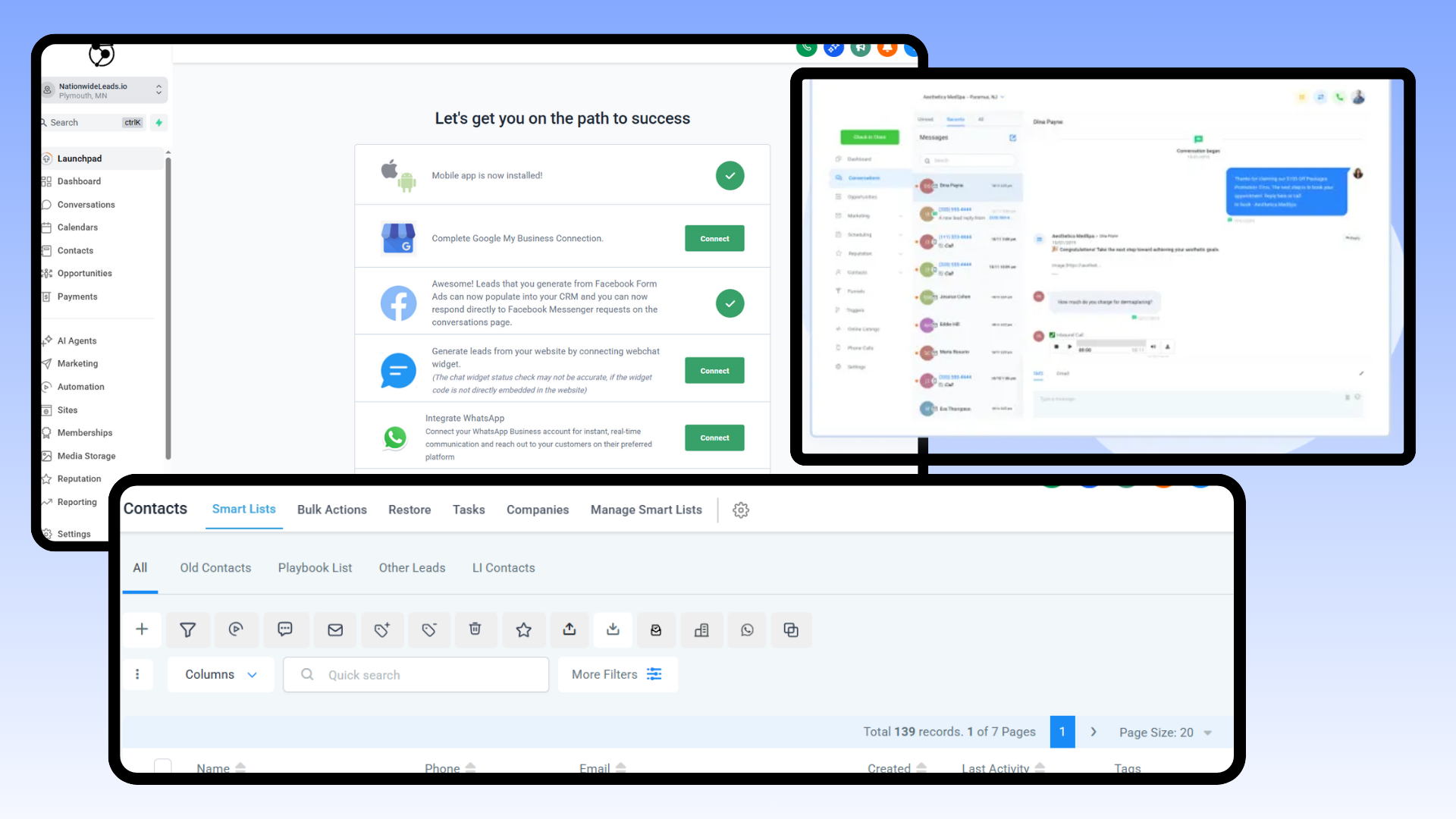
Selecting the ideal CRM for sales automation is a significant move for small businesses that aim to labor more intelligently, not more strenuously. Defined goals assist. For instance, are you looking to accelerate sales, reduce manual effort, or simply save on team expenses?
Most find it best to use a single CRM that can track, automate, and report all in the same place. This provides teams transparency into what’s going on with each lead or customer. It simplifies identifying what works and what doesn’t.
Your CRM for sales automation should make it simple to capture and save contact info quickly. It should do the grunt work on easy tasks like logging calls, sending follow-up emails, or advancing deals through a pipeline.
This liberates your team for work that requires genuine expertise, like sealing a deal or addressing a client’s challenge. Seek tools that allow you to construct workflows using easy drag-and-drop steps. Visual pipelines are useful, as they display to your team where each and every deal is at a glance.
Integration is really important, particularly if you already have an invoicing or accounting package in use. A CRM that integrates with your billing system reduces manual update time and minimizes errors.
This is crucial for small teams with limited budgets and no time to pursue mistakes. For instance, NationwideLeads has powerful connections to leading accounting platforms and have good integration options, which is excellent if you want to use a single system for sales and billing.
Ease of use is another factor to consider. If it’s difficult, your team won’t adopt it. A platform like NationwideLeads are simple and easy to pick up, while Salesforce, while extremely powerful, can require more training and setup.
See if it has intuitive menus, useful tutorials, and supportive service. All of this helps your team get up to speed fast.
Customer reviews and case studies can demonstrate to you how a CRM works in the real world. Seek out small business feedback on what features they use most, what saves them time, and where they get tripped up.
CRMs such as NationwideLeads earn kudos for their support especially during onboarding, while others receive recognition for affordable prices or robust mobile applications.
Price ranges from 27 USD with limited features to premium at 100 USD per user per month. Consider what you need today or what you might grow into.
The human element in an automated world

CRM automation enables small businesses to respond faster, reduce expenses, and process multiple requests simultaneously. Although these automated customer service tools can expedite activities, a machine cannot establish trust or empathize. Automated messages are great for easy inquiries, such as verifying an order or resetting a password, but customers detect when answers seem impersonal or canned.
A real person makes it human, even in a world of chatbots and auto-replies. It’s crucial to mix tech with human interaction. For instance, if there’s a billing issue, a bot might provide the steps, but a skilled agent can detect stress, listen, and empathize. Interspersing live chat handoffs or callbacks with automation solutions spans this divide and keeps the customer’s needs at the forefront.
Customer service is as crucial as automating routine service tasks. When automation stalls or can’t repair the damage, customers want to connect with someone who shares their issue and emotional state. Agents should be trained to deal with difficult or sensitive issues, learning to listen, inquire, and speak kindly, not just babble scripts.
That is, learning to listen, inquire, and speak kindly. If a customer's campaign stalls or the CRM isn’t working right, for example, a talented agent can walk through the fix one step at a time, provide tips, and remain calm. Quality training addresses not just the tech but the soft skills required to soothe jitters and establish credibility so that every touch matters.
Feedback is among the most effective means of improving customer service processes. After each chat or email, ask customers if their needs were met or what could be improved. Simple surveys, thumbs up or down, or open comment boxes help catch what’s working and what feels off.
For instance, if users continually say the bot provides ambiguous responses, you know it’s time to adjust the scripts. Pay attention to these signals and let them guide updates to both the tech and how agents assist. By simplifying the process for customers to provide feedback, you demonstrate that you care and want to improve.
A culture of constant learning keeps customer service primed and impromptu. Teams should convene regularly to exchange what’s effective and ineffective, revise scripts, and brainstorm innovative methods to assist customers. Boutiques love swapping stories and new fixes.
When agents watch their ideas help shape the system, it boosts morale and improves the service for all. Ongoing oversight and open dialogue between engineering and human teams help maintain the right balance between efficiency and gentleness.
A reality check on automation challenges

CRM customer service automation is an essential component to small business success. A lot of owners find it tempting to implement automation solutions. Automation accelerates responses, reduces costs, and aids even during surge periods. More than 60% of Americans now would rather get automated customer service for easy problems.
Still, the shift to automation is not without its own pain points. The right setup is more than just adding bots or smart tools to your CRM. One big trap is too much faith in technology. It’s tempting to believe automation can solve everything, but there’s no substitute for genuine human assistance.
Roughly six in ten customers still want a human answer when they contact directly. This illustrates that users anticipate immediate assistance for mundane matters but desire a human for the nuanced or painful problems. When businesses rely too heavily on bots, users end up caught in cycles and frustrated, which erodes trust, particularly for tiny brands where every returning customer makes a difference.
One avenue to address this is leveraging a CRM with done for you services freeing you up to focus on servicing your client. Even a starter done for you service plan within your CRM platform can free you up significantly with expert service while you still maintain control. Plus, a service like this right within the platform offers the flexible to use it in and out cost-effectively in the course of your growth journey without the worry significant ramp-up every time.

At the very least, small businesses should provide clear avenues for customers to get in touch with a real person if necessary and maintain a friendly, helpful tone. While smart automation, such as AI-powered issue sorting, can increase agent productivity by 1.2 hours, it only works for your customer base if it is effective.
Small business owners need to verify that the tools they select are compatible with their existing environment. Automate, but check that it works. During onboarding – ask for templates or examples of similar companies using the tool. It helps identify holes early before they turn into costly issues.
Performance tracking is central to successful automation. Simply bolting on automation won’t cut it. Owners must monitor the right metrics. Metrics such as response time, first-contact resolution, and customer satisfaction will indicate whether automation is assisting or impeding.
For instance, a single company saved $6.9 million and 44,000 staff hours with automation, but those figures aren’t worth much if customers begin defecting over poor experiences. Periodic reviews and easy surveys can assist in identifying problems early. Automation must invariably add value, not just cut costs.
Conclusion
Smart businesses run on stress-cutting, time-saving tools. Smart customer service automation in your CRM makes life easier for you and your clients. It’s easy to establish simple workflows for follow-ups or sales tracking without a lot of hassle. Even little teams or solopreneurs can appear large and keep it crisp. Choose a CRM that matches your workflow and will scale with you. Remember, tech is best when paired with a real person; the human touch still counts. Leverage done for you services cost-effectively to free you up.
If you get stuck or wish to get more out of your tools, schedule a call or contact us at NationwideLeads for a quick conversation. Let’s identify the solution that fits your business and get you rolling with less stress and more command.
Frequently Asked Questions
What is customer service automation in CRM?
Customer service automation tools in CRM leverage digital systems to manage processes, such as responding to customer queries, monitoring issues, and conducting follow-up activities, ensuring a seamless customer service experience with prompt and uniform replies.
Why should I automate customer service in my CRM?
Automation solutions increase productivity, minimize mistakes, and accelerate responses, allowing your customer service team to prioritize intricate inquiries and routine service tasks.
How does automation improve invoicing and follow-ups?
Automation solutions dispatch invoices and reminders on time, minimizing late payments and overlooked follow-ups while enhancing customer service interactions and preserving solid client connections.
What features should I look for in a CRM for sales automation?
Seek seamless integration of automated customer service tools, AI-powered tools, customization workflows, and robust reporting. These capabilities assist in customer service automation and offer transparent analytics for smart decision making.
Can automation fully replace human customer service agents?
No, while automated customer service tools are excellent for preventing agents from wasting time on routine service tasks, they cannot replace the empathy and problem-solving skills of a customer service team. A mix of both creates a seamless customer service experience.
What are common challenges with customer service automation?
Hurdles such as implementation difficulty, data privacy issues, and depersonalization loom in automated customer service. Regular reviews and training help overcome these customer service challenges.
Is customer data safe with automated CRM systems?
Trusted CRM platforms utilize automation solutions with robust security protocols, ensuring customer data protection through advanced AI and automated customer service tools.